
Download ColorPenguin – AI‑Generated Custom Coloring Pages for Kids and Educators
Overview
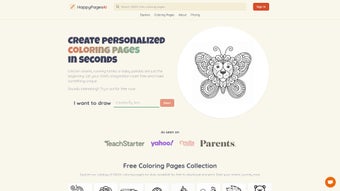
ColorPenguin is a cloud‑based, AI‑driven web application that lets anyone create personalized coloring pages in just three clicks. Whether you are a teacher looking for fresh worksheets, a parent searching for a low‑cost activity to keep children engaged, or a hobbyist who simply loves to doodle, ColorPenguin transforms a simple text prompt into a printable masterpiece. The platform’s workflow is intentionally minimal: you type a design idea (e.g., “dinosaur in a jungle”), pick a visual style from a dropdown (simple line art, mandala‑like complexity, cartoon‑friendly, etc.), and let the AI generate a unique outline ready for coloring.
Because the output is a vector‑compatible PDF, you can print it on any printer, share it via email, or even import it into digital coloring apps. The tool also supports educational goals—students develop focus, fine‑motor skills, and creativity while the teacher can align the artwork with lesson themes such as biology, history, or geometry. With no software download required, the service runs in any modern browser, making it instantly accessible on Windows, macOS, Android, or iOS devices.
In short, ColorPenguin removes the barrier between imagination and printable art, delivering a free‑to‑try, secure, and constantly updated solution for every age group. Its user‑centric design, combined with an AI engine trained specifically on child‑friendly line drawings, ensures that the generated pages are both age‑appropriate and visually appealing, which makes it a valuable addition to any classroom resource kit or home activity stash.
Key Features and AI‑Powered Design Process
- Three‑Step Creation: Input idea → Choose style → AI generates artwork.
- Multiple Style Options: From ultra‑simple line drawings for toddlers to intricate patterns for advanced colorists.
- Instant PDF Export: Download a high‑resolution PDF that prints cleanly on any paper size.
- Educational Templates: Pre‑built prompts for subjects like science, math, history, and language arts.
- Cross‑Platform Access: Works on Windows, macOS, Android, iOS, and any device with a modern web browser.
- Secure Cloud Processing: All AI calculations happen on encrypted servers; no personal data is stored after the session.
- Regular Updates: New style packs and educational prompt libraries are added monthly.
- Free Tier & Premium Add‑Ons: Unlimited basic creations for free; paid plans unlock bulk download, custom branding, and priority AI processing.
How the AI Generates a Page
The underlying engine uses a diffusion model fine‑tuned on line‑art datasets. When you submit a text prompt, the model first interprets the semantic meaning, then renders a clean outline that respects the selected complexity level. Because the model is trained on thousands of child‑friendly images, the output stays appropriate for all ages.
The AI also auto‑optimizes line thickness and spacing to ensure that crayons, markers, or digital brushes can fill the spaces without overcrowding. Advanced post‑processing adds subtle variations in line weight, giving each page a hand‑drawn feel while retaining the crispness needed for high‑quality printing. Users can further tweak the result with a lightweight on‑screen editor that offers rotation, mirroring, and annotation tools, all of which preserve the vector integrity of the final PDF.
This combination of deep learning and user‑controlled refinement makes ColorPenguin a truly versatile tool for educators who need curriculum‑aligned visuals as well as families looking for spontaneous creative play.
Getting Started: Installation, Usage Instructions and Compatibility
Since ColorPenguin is a web application, there is no traditional installation process. Follow these steps to start creating right away:
- Visit the Website: Open colorpenguin.com in any up‑to‑date browser (Chrome, Edge, Firefox, Safari).
- Create an Account (Optional): You can generate pages as a guest, but signing up saves your favorite prompts and lets you track usage.
- Enter Your Idea: Type a short description of the scene you want, such as “space rockets racing around the moon”.
- Select a Style: Choose from the dropdown – “Simple”, “Detailed”, “Cartoon”, “Mandala”, or “Educational”.
- Generate: Click the “Create” button; the AI typically returns a result in 5‑10 seconds.
- Preview & Edit: Use the on‑screen toolbar to rotate, flip, or add minor annotations before finalizing.
- Download: Press “Download PDF”. The file is saved to your device’s default download folder.
- Print or Share: Print directly, email to a class, or upload to a digital coloring app.
Compatibility: Because the service runs entirely in the browser, it is compatible with all major operating systems, including Windows 10/11, macOS Monterey and later, Chrome OS, Android 9+ (via Chrome), and iOS 13+ (via Safari). No additional plugins or extensions are required, and the site adheres to WCAG 2.1 AA accessibility standards, making it usable for students with special needs. The responsive design automatically adjusts the interface for tablets, laptops, and desktop monitors, so you can switch seamlessly from a classroom PC to a handheld Android tablet without losing any functionality.
Pros, Cons and Frequently Asked Questions
Pros
- Instant, no‑install creation process.
- AI generates unique, high‑quality outlines every time.
- Free tier sufficient for casual users and small classrooms.
- Wide range of styles accommodates all skill levels.
- Secure, cloud‑based processing with no data retention.
- Regularly updated content keeps the experience fresh.
- Responsive UI works on phones, tablets, and desktops.
- Educational templates align with curriculum standards.
Cons
- Premium features (bulk download, custom branding) require a subscription.
- Internet connection is mandatory; offline use is not supported.
- Complex prompts may need refinement for optimal results.
- Limited integration with existing LMS platforms (currently in roadmap).
- Free tier limits commercial usage rights.
Frequently Asked Questions
Is ColorPenguin really free to use?
Yes, the core three‑step creator is completely free. You can generate unlimited basic coloring pages without paying. Premium options such as bulk PDF export, custom branding, and priority AI processing are offered through affordable subscription plans.
Can I use the generated pages for commercial purposes?
The free tier grants a non‑commercial license only. If you need commercial rights—e.g., selling printed books or merchandise—you must upgrade to the “Pro” plan, which includes a royalty‑free commercial usage license.
What file format does ColorPenguin provide?
All finished designs are exported as high‑resolution PDF files. PDFs retain vector quality, so you can scale the image without losing line sharpness, making them ideal for printing on any paper size.
Is there a way to save my favorite prompts?
Yes. By creating a free account, you gain access to a personal library where you can bookmark prompts, view past creations, and reorder them for future use.
How secure is the AI processing?
All data transmitted between your browser and ColorPenguin’s servers is encrypted via HTTPS. The AI runs on isolated containers, and no personally identifiable information is stored after the session ends, complying with GDPR and CCPA standards.
Conclusion – Why Download ColorPenguin Today?
ColorPenguin fills a niche that many educational and creative tools overlook: the ability to instantly generate custom, printable coloring pages without any design expertise. Its AI engine produces fresh artwork on demand, while the three‑step interface keeps the experience breezy for both tech‑savvy teachers and parents who just want a quick activity for their kids. The free tier offers ample functionality for most casual users, and the optional premium plan scales gracefully for schools or small businesses that need bulk capabilities.
Because it runs entirely in the browser, you can start creating on any device—from a Windows laptop in the classroom to an Android tablet on the couch—without worrying about installations or updates. If you’re looking for a secure, cost‑effective way to enrich learning, boost focus, and keep children entertained with art, ColorPenguin is the answer. Download ColorPenguin now, generate your first custom page in seconds, and watch imagination take shape on paper.



.png)



